Menu and Controls
Data Focus has 13 menu items and some control buttons. These are listed in the table below.
Note
The sidebar is organized into two groups, Structured Data and Unstructured Data, with related pages collected under each group.
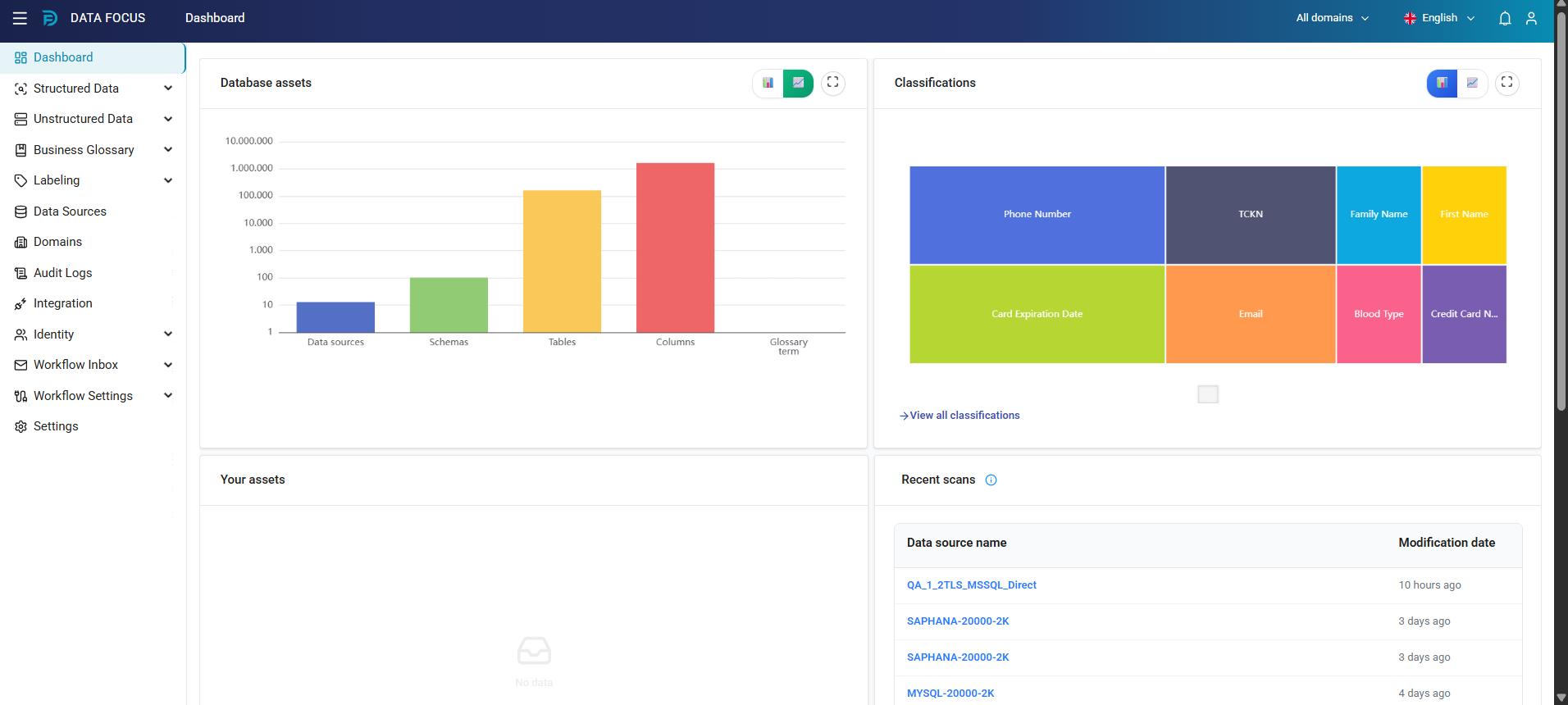
| Menu | Function |
|---|---|
| Dashboard | Used to view the dashboard. |
| Structured Data | Groups the screens used to search, discover, analyze, and manage structured data assets. Includes Search, Analytics, Discoveries, Assets, and Comparison submenus — see Search, Discoveries (Analytics is the Dashboard tab within Discoveries), and Assets (Comparison is covered under Assets). |
| Unstructured Data | Groups the screens used to discover, analyze, and monitor personal and sensitive data (PII) in unstructured data across file systems and cloud storage. Includes Analytics, Discoveries, Finding Search, and False Positives submenus. See Unstructured Data Discovery. |
| Business Glossary | Used to manage business glossary, categories, and terms. Includes Glossaries, Categories, and Terms submenus. |
| Labeling | Used to manage laws, classifications, rules and lists. Includes Laws & Standards, Classification, Risk Labels, Rules, and List submenus. |
| Data Sources | Used to list and manage data sources. |
| Domains | Used to manage domains. |
| Audit Logs | Used to view audit logs. |
| Integration | Used to integrate Data Focus with specified applications such as Logstash, Jira, MS Teams, and Mail. |
| Identity | Used to manage users and groups. Includes Users and Groups submenus. See Identity. |
| Workflow Inbox | Used to access user-specific workflow activities and records. Includes My Tasks and My Reports submenus. |
| Workflow Settings | Used to adjust settings about the workflows. Includes Process Cockpit, Flow Design, Deployment, Flow Users, Flow Reports, and Flow Execution submenus. |
| Settings | Used to adjust settings and reach health check details. Includes Global Discovery Settings, System Parameters, UI Settings, Approval Settings, Retention, Health Check, ODBC, Unstructured Health Check, and Runtime Limits tabs. |
 |
Used to select the domain. |
 |
Used to close and open the menu on the left. The menu part can be closed for a wider graphic view. |
 |
Used to select the interface language. There are Turkish and English options. |
 |
Used to reach user information, product details, and the Logout. |